
Keeps playing offline
Every picture is downloaded before it is shown. If the network or your site goes quiet, the screen plays what it saved and says so, quietly, in one line.
Digital signage for organisations with a web site
InteliKiosk turns the events, news and pictures you already publish into screens that run themselves — up to date the moment your site is. Plug one in, scan a code, and it plays.
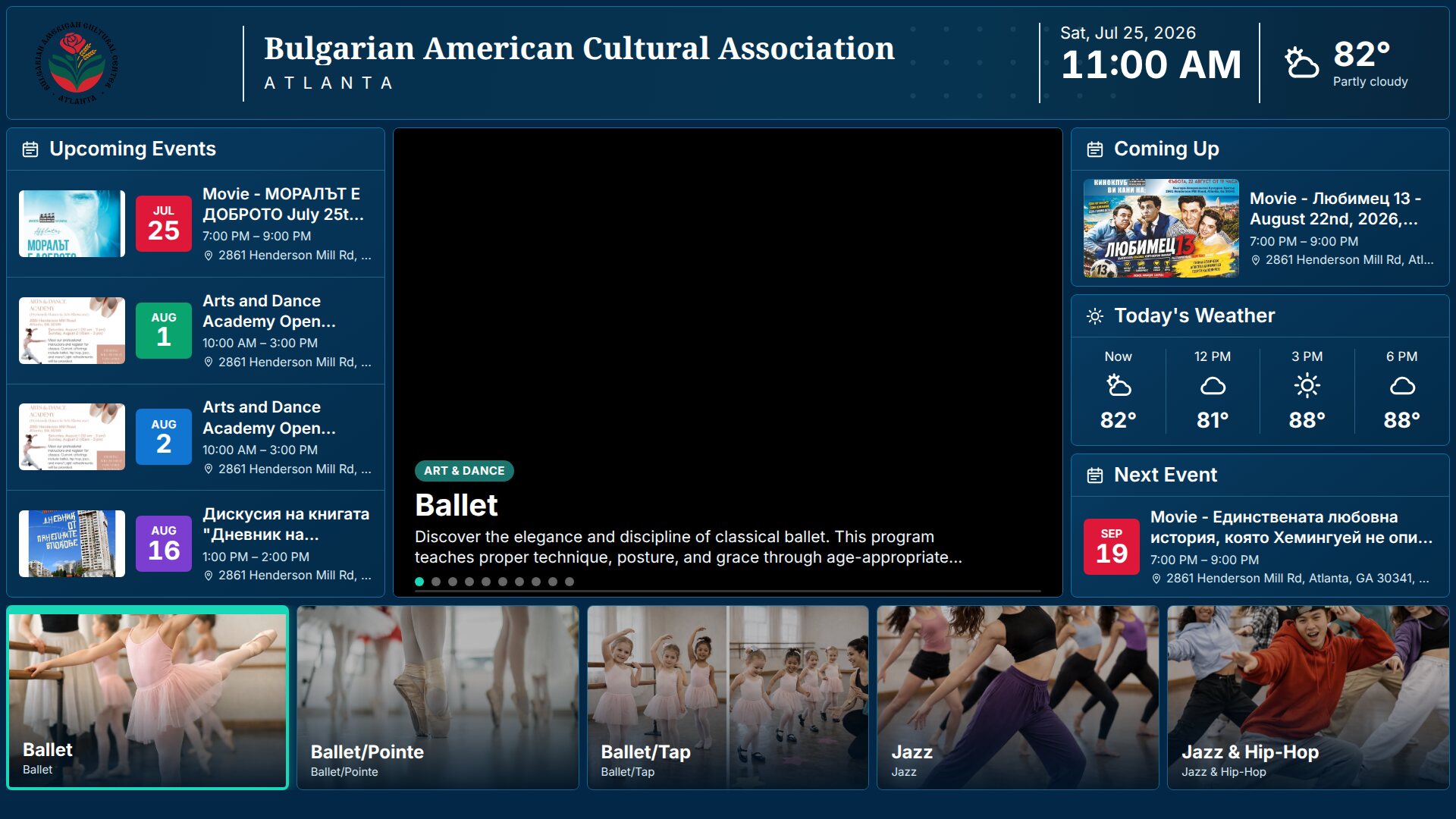
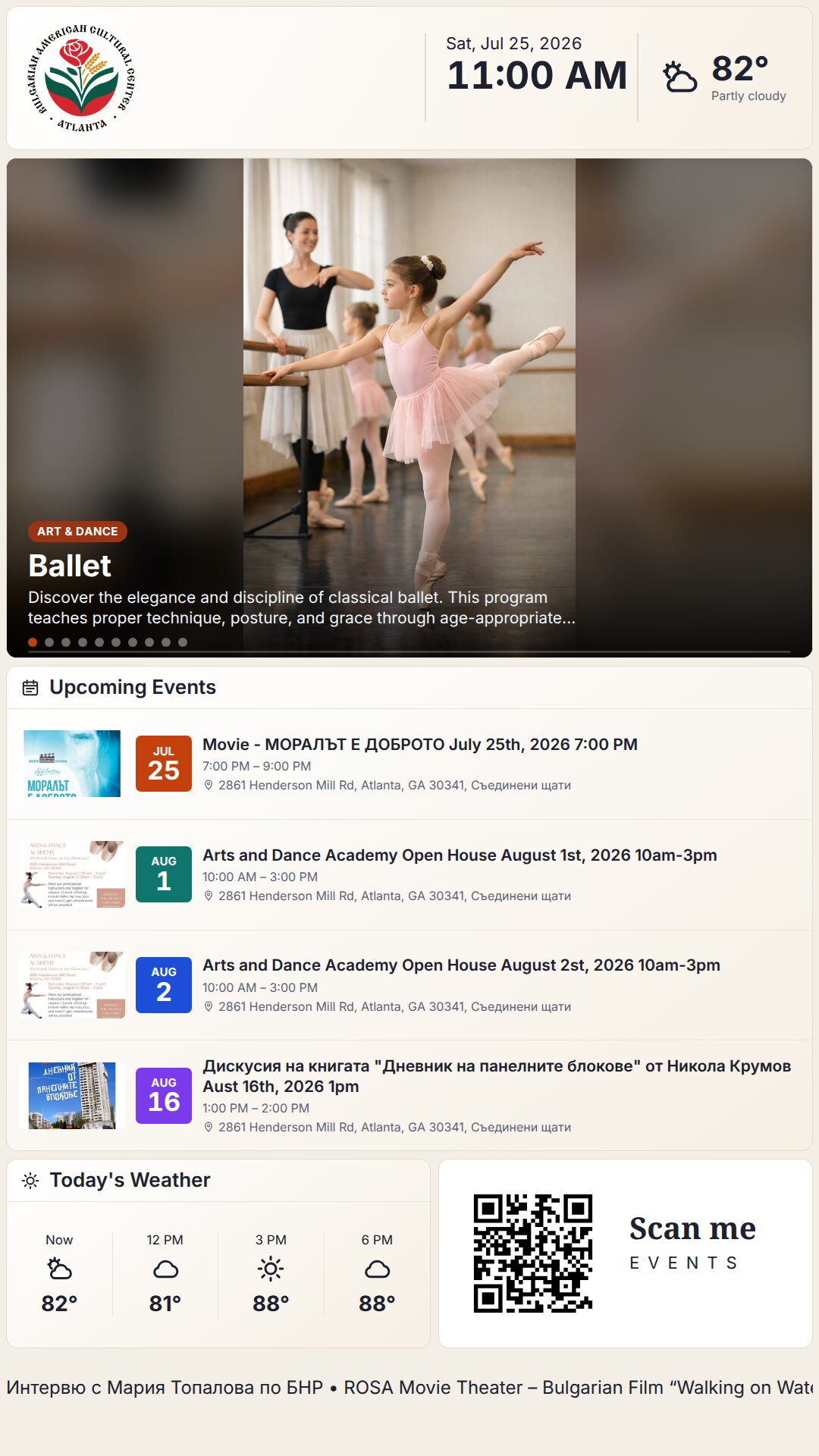
Live — this is the real screen software, running in your browser.
One feed. Every screen.
Your site publishes one small XML feed. The lobby shows what is on today, the door shows what is next, the gallery wall shows pictures — each from the same feed, each the moment it changes.
<item kind="event">
  <title>Folk dance evening</title>
  <starts>2026-10-03T19:00:00-04:00</starts>
  <image src="…/dance.jpg"/>
</item>
<item kind="news"> … </item>
<item kind="media"> … </item>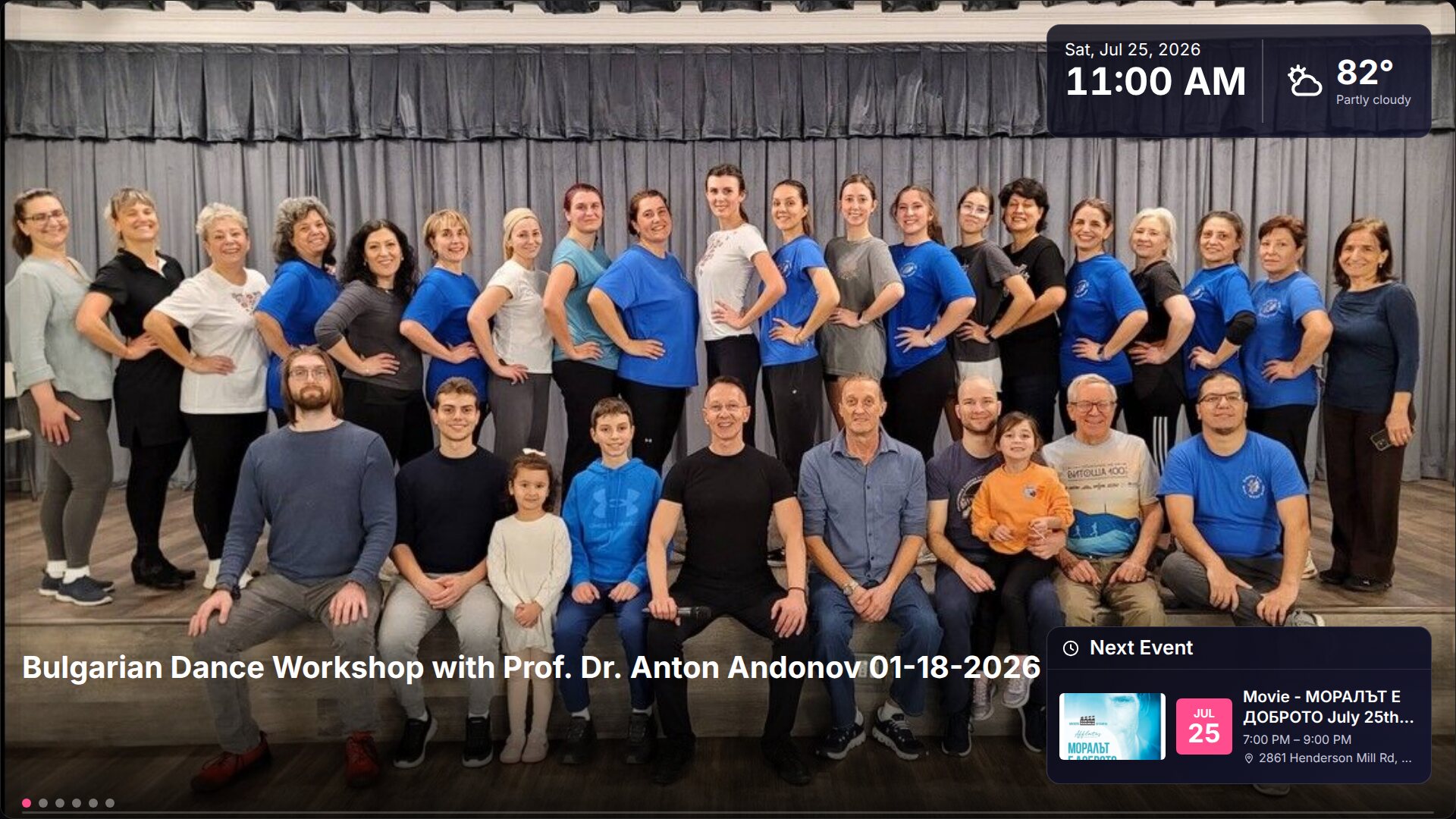
Set up in minutes
No installer, no remote control, no USB stick every time something changes.
A small computer behind any television with HDMI, on the network by cable or Wi-Fi. It starts on its own, every time the power comes back.
The screen shows a code. Scan it with your phone, sign in, and the screen belongs to your organisation — code already filled in.
Choose a template, and point it at your feed. The screen downloads what it needs and starts playing. Change the template later, and every screen follows.
The studio
Drag regions onto a canvas — a list of events, a slideshow, the weather, a clock, a code to scan. The preview is the real player, with your real feed, so what you see is what the wall will show.
Built to hang on a wall for years
A screen in a lobby has no keyboard and nobody watching it. So it looks after itself — and when it cannot, it says what is wrong in a sentence anyone can read out over the phone.
Every picture is downloaded before it is shown. If the network or your site goes quiet, the screen plays what it saved and says so, quietly, in one line.
The weather is for the street the screen stands on — found from its network the first time it starts, and yours to correct in one field.
Something wrong is a sentence and a code, like KIOSK-31 — never a stack trace. The code tells us exactly where to look.
Change the web site, and the screens follow within minutes. Change the template, and they redraw. Nobody climbs a ladder.
What a screen says, along its bottom edge, when your feed cannot be reached — and it keeps
playing. The panel shows the same line with its code, KIOSK-31.
For developers
Plain XML over HTTPS, with a published schema. Events, news, pictures and videos, with dates in ISO 8601 and addresses that are just links. Any CMS can publish it; most can with a template.
<?xml version="1.0" encoding="UTF-8"?>
<kiosk-feed xmlns="urn:intelibo:kiosk-feed:1">
  <item id="folk-night" kind="event">
    <title>Folk dance evening</title>
    <starts>2026-10-03T19:00:00-04:00</starts>
    <ends>2026-10-03T22:00:00-04:00</ends>
    <location>Main hall</location>
    <image src="https://yoursite.org/img/folk.jpg"/>
  </item>
  <item id="welcome" kind="notice">
    <title>The library is open until 8 pm.</title>
  </item>
</kiosk-feed>One screen or fifty, one feed. Start with the one in your lobby.